AI transformation
AI transformation: AI inside the workflows your team already runs
We bring AI into the work your team already does: emails and documents read and filed, answers from company data, drafts prepared for a person to approve, and assistants inside the tools people open every day. Every answer respects who is asking, and personal data stays where it belongs.
Sounds familiar?
- Your team asks the same data questions every week and waits for someone to build a report.
- You tried ChatGPT, but it cannot see your systems, so people copy and paste data into it.
- Nobody can say which data an AI would be allowed to see, so IT or legal keeps the project on hold.
- Listings, product pages or emails are needed in several languages and someone translates them by hand.
- Useful information arrives as social posts, PDFs or emails, and someone types it into a spreadsheet.
What we build
AI steps inside existing workflows
Incoming emails, invoices and forms are read, sorted and written into the right record in your CRM or database. A person reviews anything unclear before it moves on.
Assistants that answer from company data
Staff ask in plain language and get answers with tables and charts from live data. The source and how fresh it is are shown next to each answer.
Chat inside your back office
A chat panel in the internal tool people already open every day, so nobody switches to another app or copies data around.
AI translation in your product
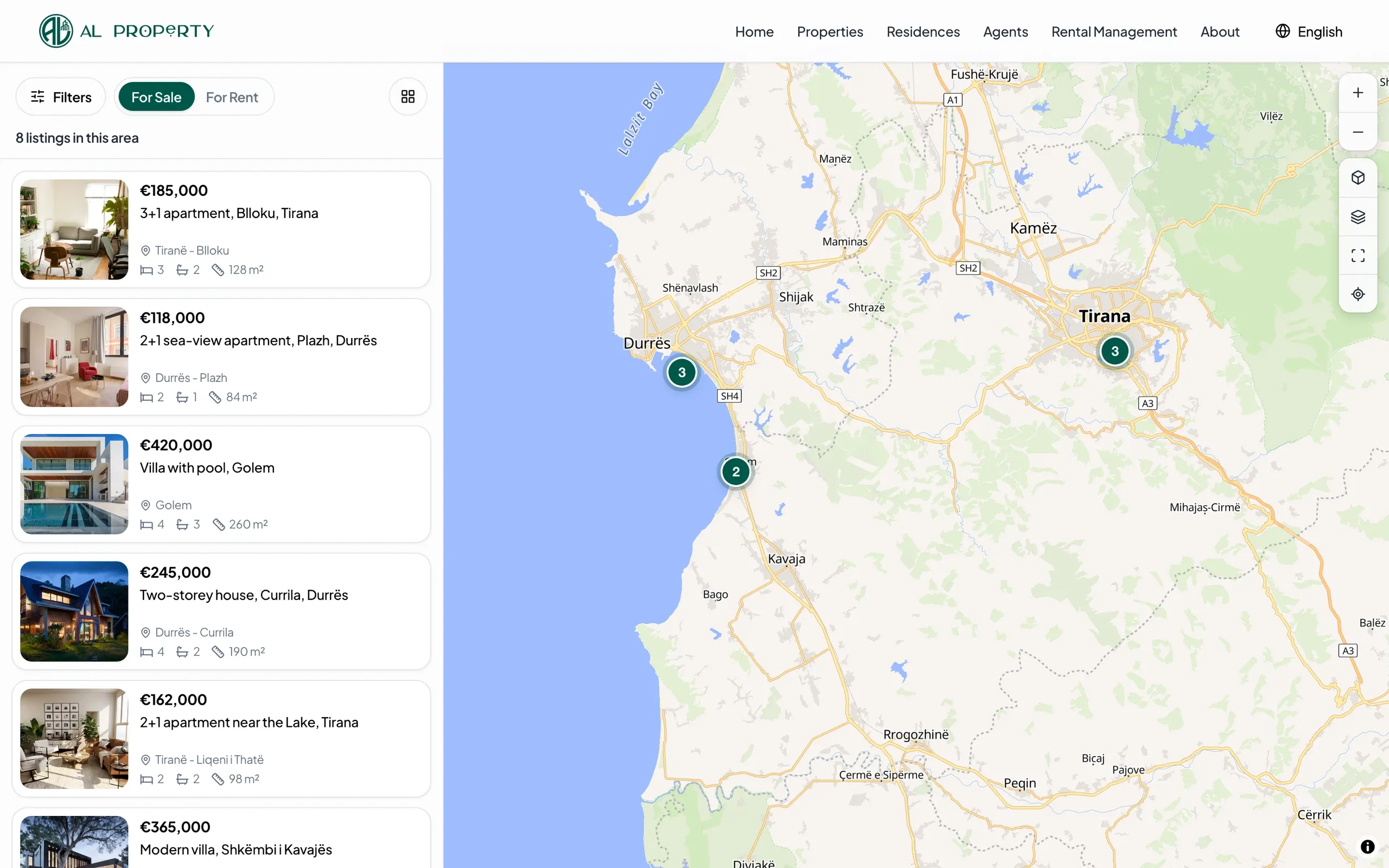
Content written once appears in the other languages automatically. On ALProperty, Gemini on Vertex AI translates each listing whenever an agent changes it.
Extraction from messy content
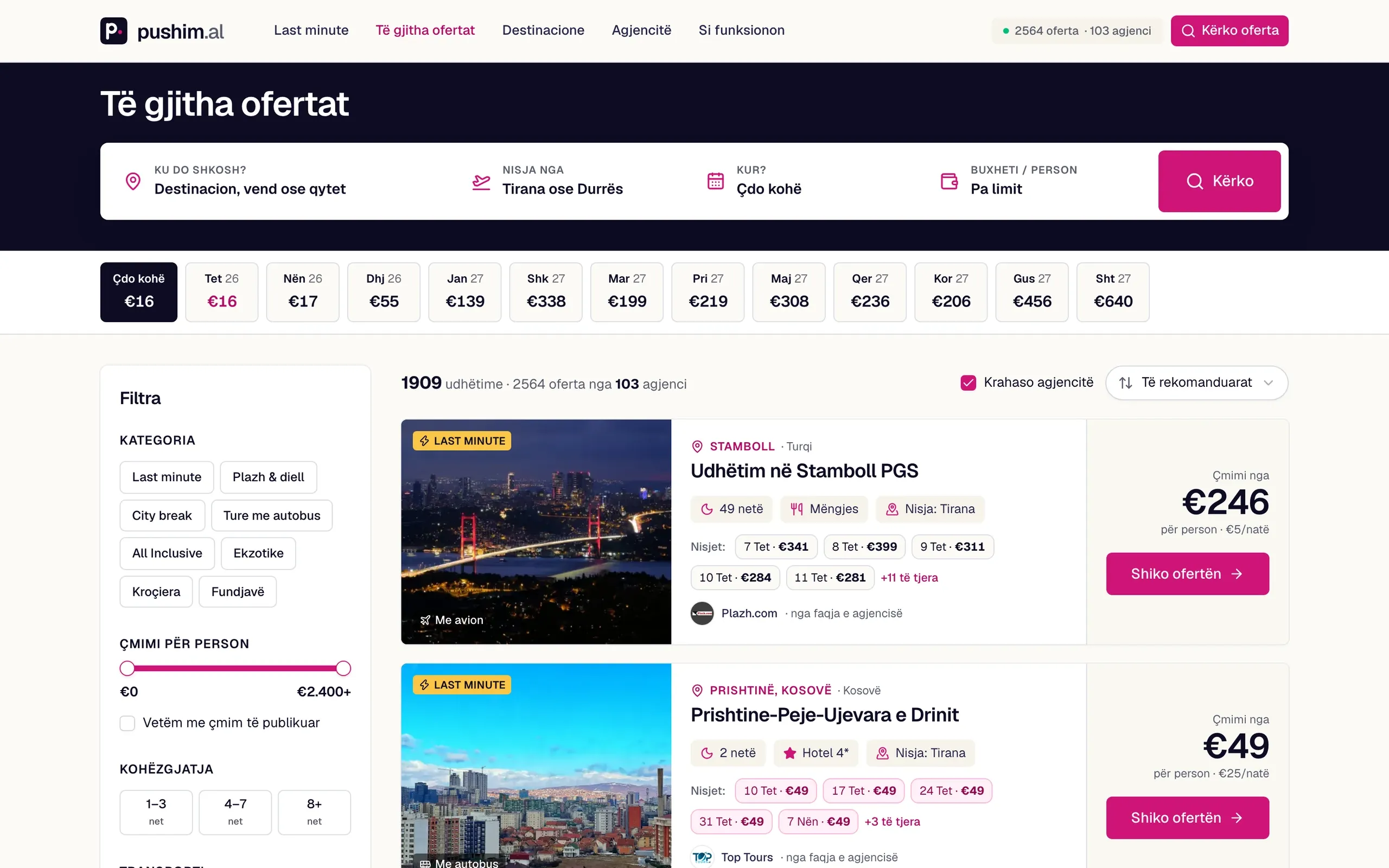
Posts, web pages and documents turned into clean records. Pushim.al reads travel agency websites and social posts every day and turns them into offers with dates and prices.
Your product inside Claude and ChatGPT
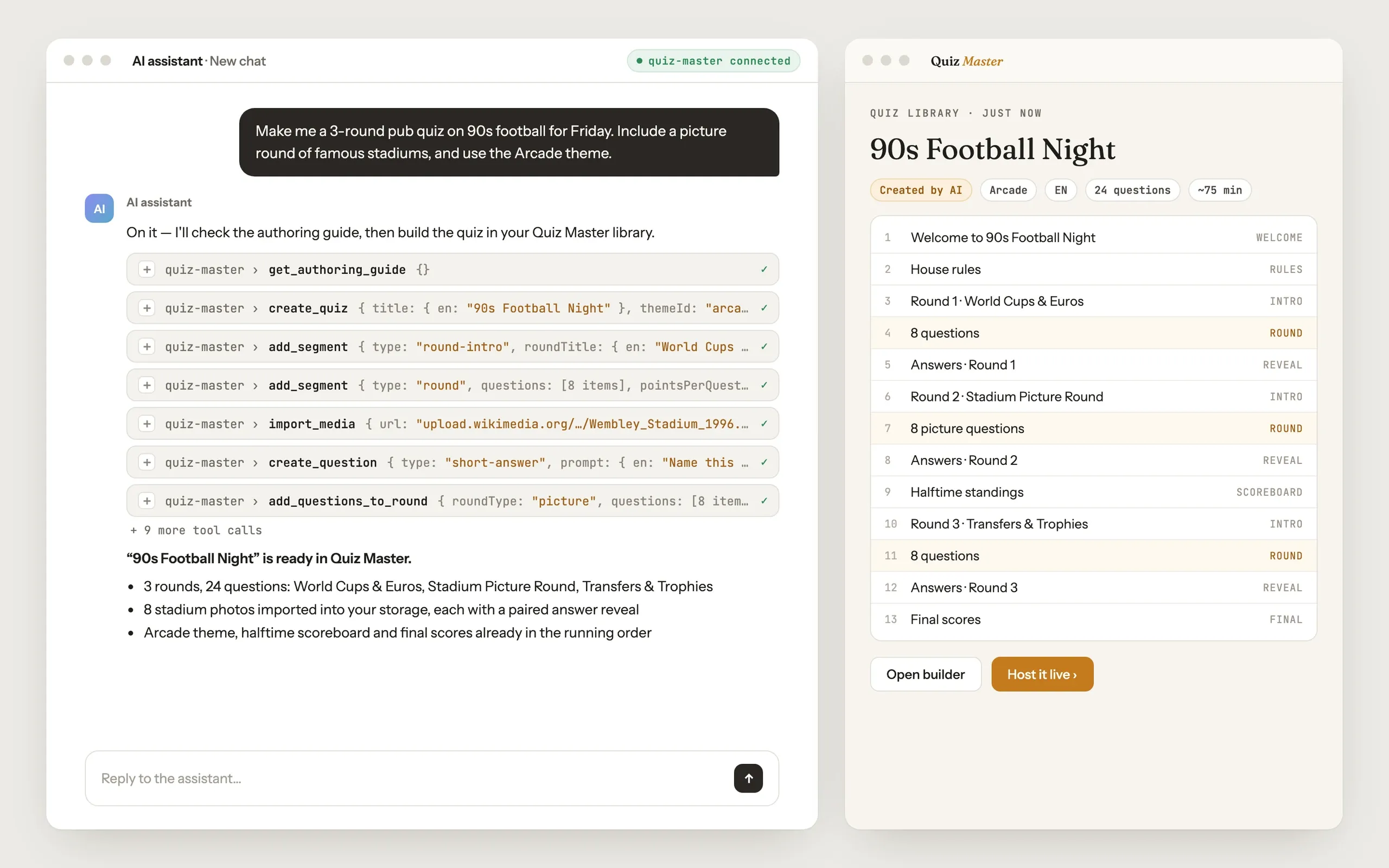
An MCP server so people can work with your product from the AI assistant they already use, as hosts do with The Quiz Master.
Permissions and data privacy
Queries run with the signed-in user's own permissions, read-only where reading is enough, and personal data is filtered out before it reaches the model.
How a project runs
01
Pick one real use case
We start from a question or task your team repeats often and look at the data behind it, not from a list of AI ideas.
02
Map data and permissions
We check where the data lives, who may see what, and what must never reach the model. This shapes the design from the start.
03
Build it where the work happens
We build a first version inside the tool your team already uses and put it in front of a few real users early.
04
Pilot, fix, extend
We read real questions and answers from the pilot, fix what goes wrong, and only then add more data sources or more users.
Where we have done this
At Bettermile, part of GLS, our founder leads Bekki: an AI assistant in the Back Office where operations staff ask about tours, parcels and depot performance and get answers from live data, read-only and with their own permissions. In our own products, AI translates property listings, extracts holiday offers and lets assistants write quizzes.
Questions companies ask
Will my company data be used to train AI models?
We build on the business APIs of cloud providers, such as Claude on AWS Bedrock or Gemini on Google Vertex AI, where the providers' terms say your prompts are not used for training. On top of that we send the model only the data a question needs, and personal data can be filtered out before it leaves your systems.
Can the assistant show data a user is not allowed to see?
We design it so it cannot. Each query runs with the permissions of the person who asks, so the assistant sees what that person would see in your tools and nothing more. Where reading is enough, the tools are read-only.
What if the AI gives a wrong answer?
Answers come from tool calls on your real data, not from the model's memory. We show the data source and how fresh it is next to each answer, so people can check it. During the pilot we review real conversations and fix the tools or instructions where answers go wrong.
Do we need to replace our existing software?
No. The assistant or AI feature is added to what you already run: your back office, your database, your product. We connect to them through their APIs and keep the changes small.
Which AI models do you work with?
We have shipped work on Claude through AWS Bedrock and on Gemini through Google Vertex AI. The choice depends on the task, where your data is hosted and which cloud your company already uses.