CRM and internal tools
Custom CRM development for teams that outgrew Excel
We build CRMs, admin panels and internal tools that follow the way your team already works. Leads, clients, listings and tasks move out of spreadsheets and chat threads into one place the whole team can open.
Does this sound familiar?
- Leads arrive on WhatsApp, Instagram and the phone, and nobody knows who called back.
- The client list is an Excel file that three people edit, and every copy is a little different.
- When an agent goes on holiday, their clients and notes stay on their phone.
- You pay for a CRM built for American sales teams and use a tenth of it.
- Every Monday someone spends the morning putting numbers together for a report.
What we build
Sales pipelines
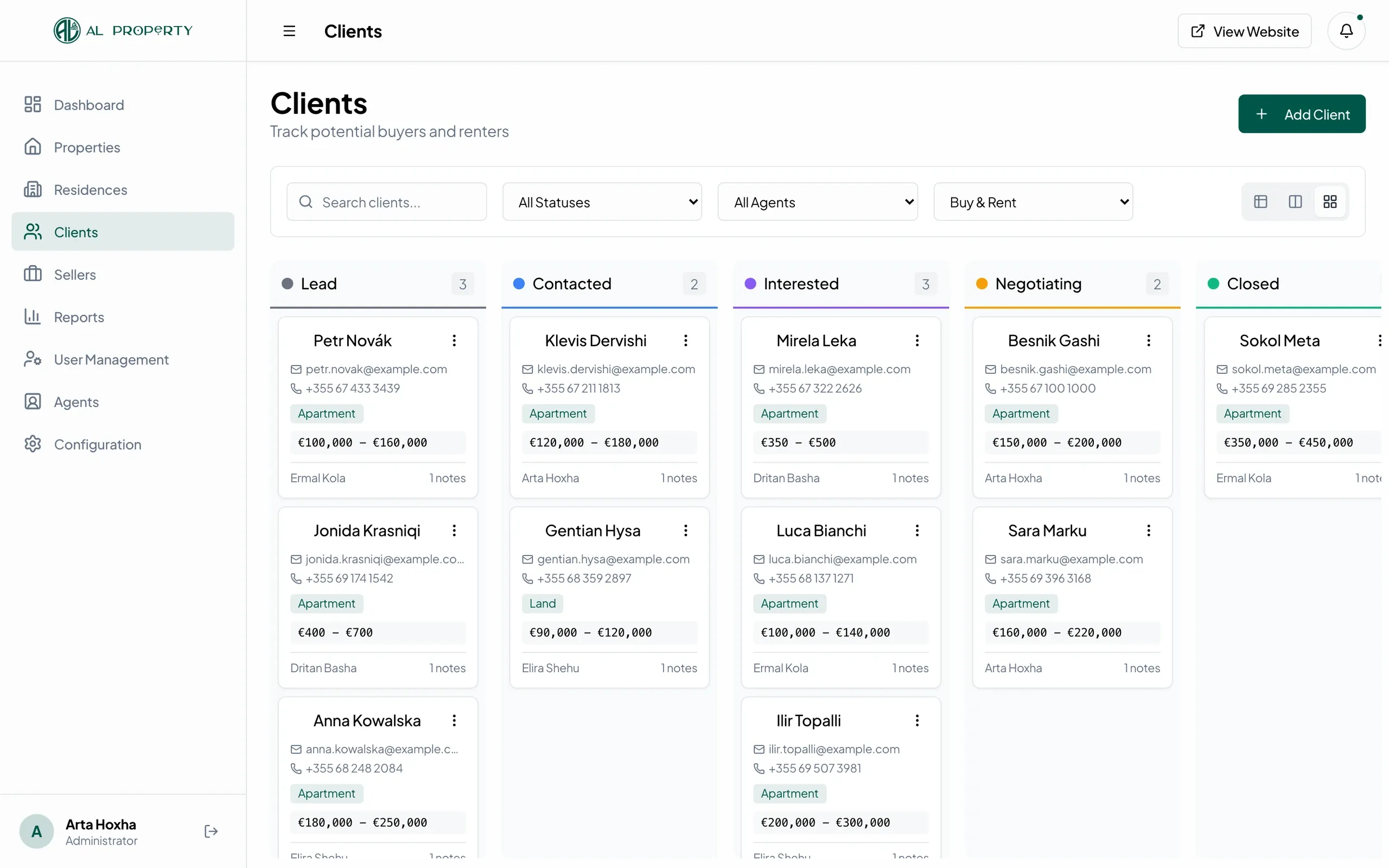
A Kanban board where each lead moves from first contact to closed deal. Drag a card and the status, date and owner update for everyone.
Client and listing records
One page per client, property, patient or athlete, with notes, files, history and the person responsible. In the ALProperty CRM, agents see which listings match a buyer's budget and preferred areas.
Admin panels
A back office to manage users, plans, payments and content. For CircleOn.me we built an admin dashboard with tabs for users, payments, growth attribution and activity.
Dashboards
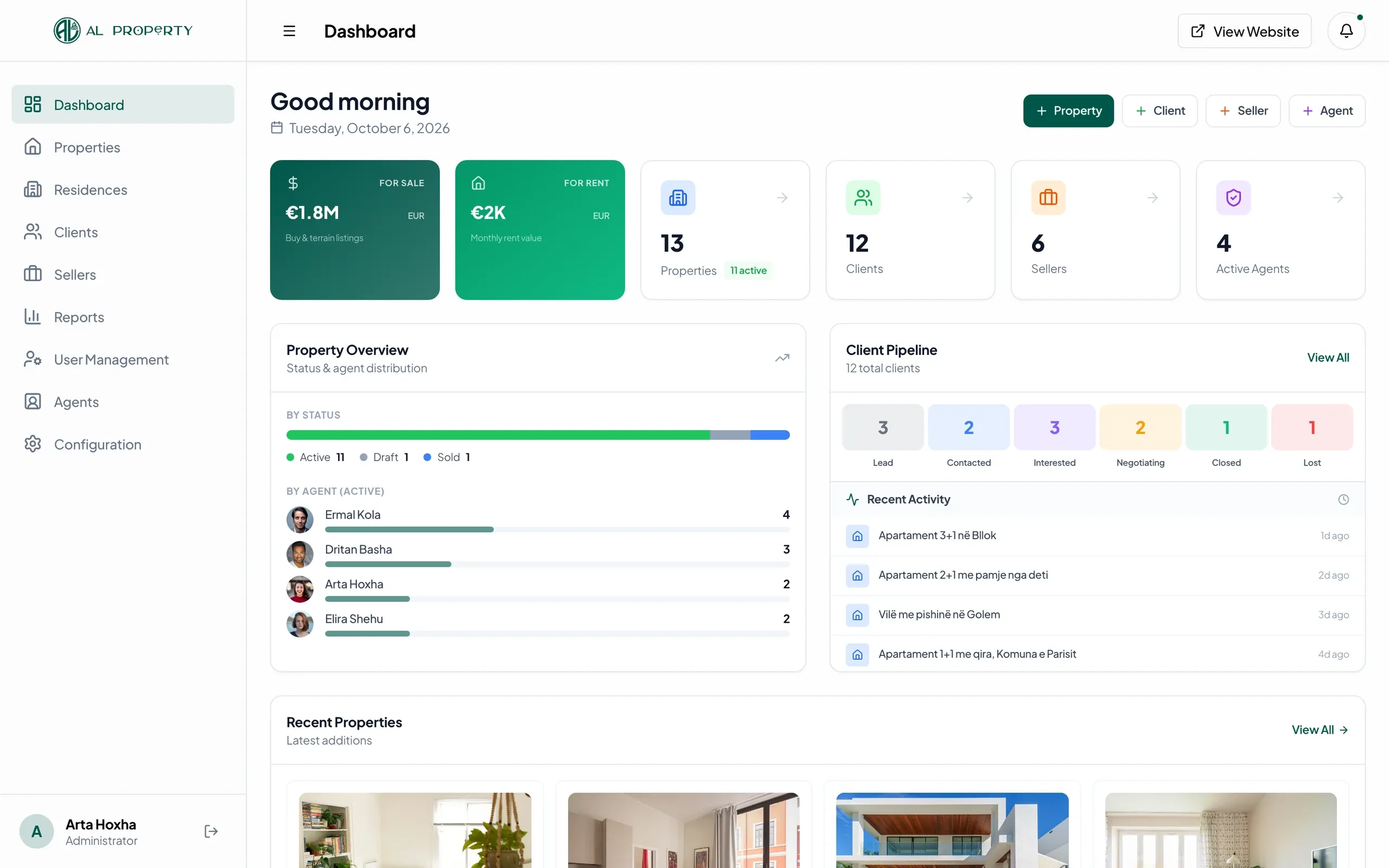
The numbers you now put together by hand, calculated from live data: portfolio value, listings per agent, revenue per plan, open requests.
Roles and permissions
Admins, agents, doctors, coaches or staff each see and change only what they should. New accounts can wait for approval before they get in.
Automations and integrations
Leads from your website land in the CRM, listings get translated automatically, payments go through Stripe, posters and Instagram posts export with your branding. The repetitive work runs by itself.
How a project runs
01
We learn how you work
We go through your current spreadsheets, chats and forms with the people who use them every day. We write down the steps, the roles and who needs to see what.
02
A first version on your data
We build the core screens first, usually the pipeline and the client records, and load a sample of your real data. You click through it with your team and tell us what is wrong.
03
Moving in
We import your Excel files and contacts, set up accounts and roles, and stay close while the team switches over. The old sheet can stay read-only for a while.
04
Running and improving
Once the team uses it daily, new requests come up: a report, an export, an extra status. We add them in small releases.
Internal tools we've built
Four systems we built where staff manage clients, bookings, athletes or payments behind a public product: an agency CRM in Durrës, a clinic workspace, athlete tracking for a recruiting agency and an admin dashboard for a paid video tool.
ALProperty
Listings website and agent CRM for a Durrës agency
Read the case study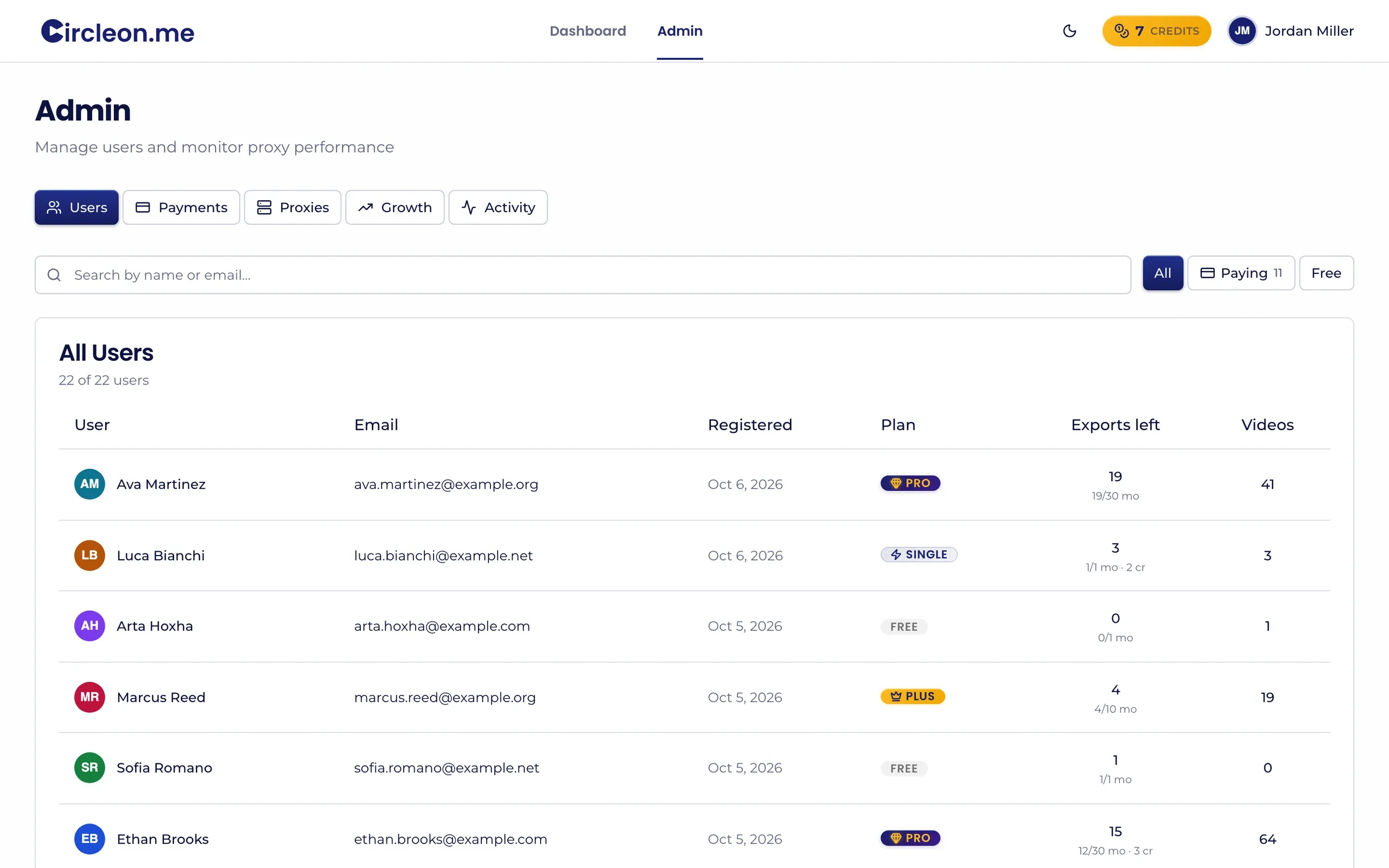
CircleOn.me
Circle yourself in game film for college recruiters
Read the case study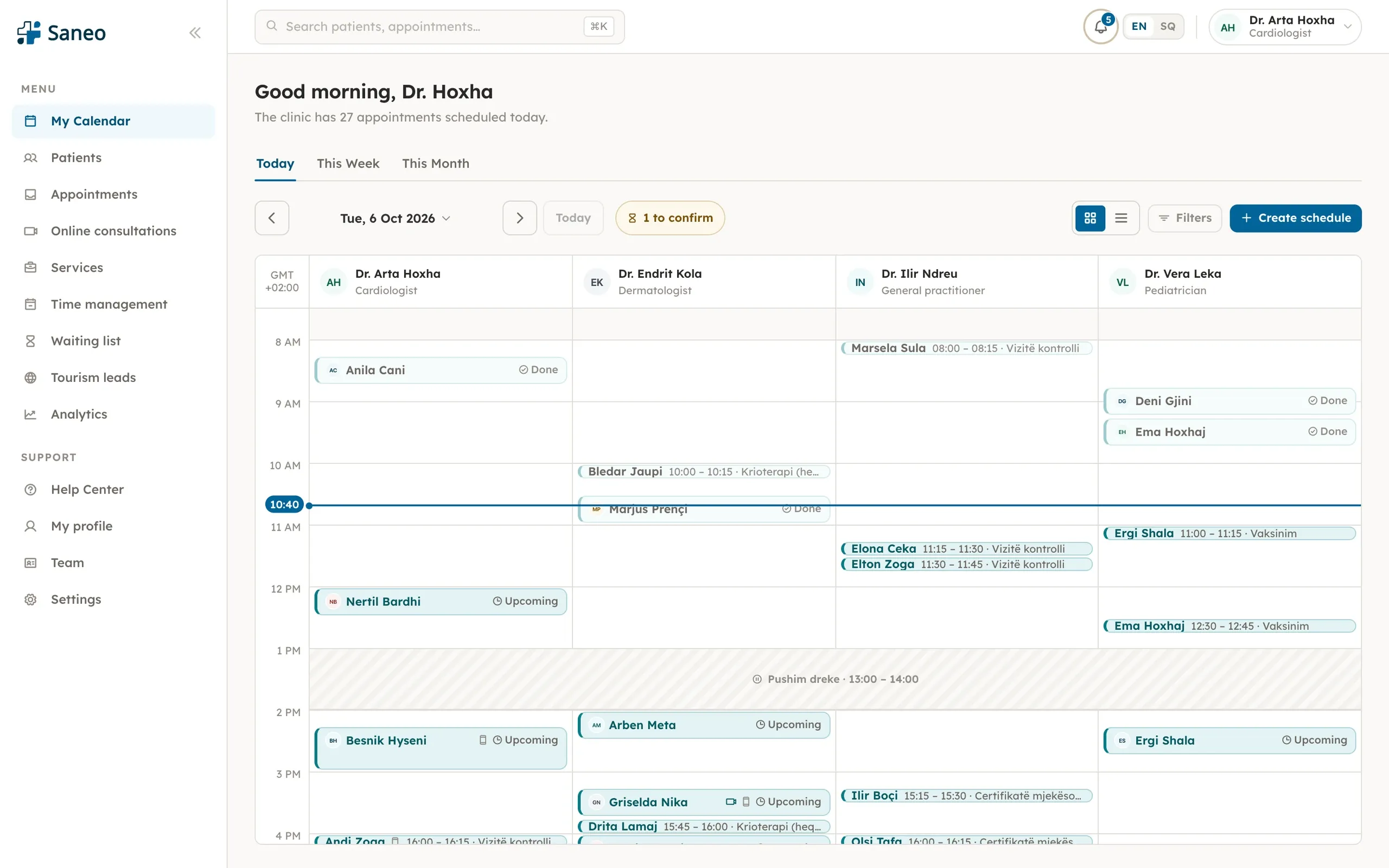
Saneo
Doctor booking for patients and clinics in Albania
Read the case study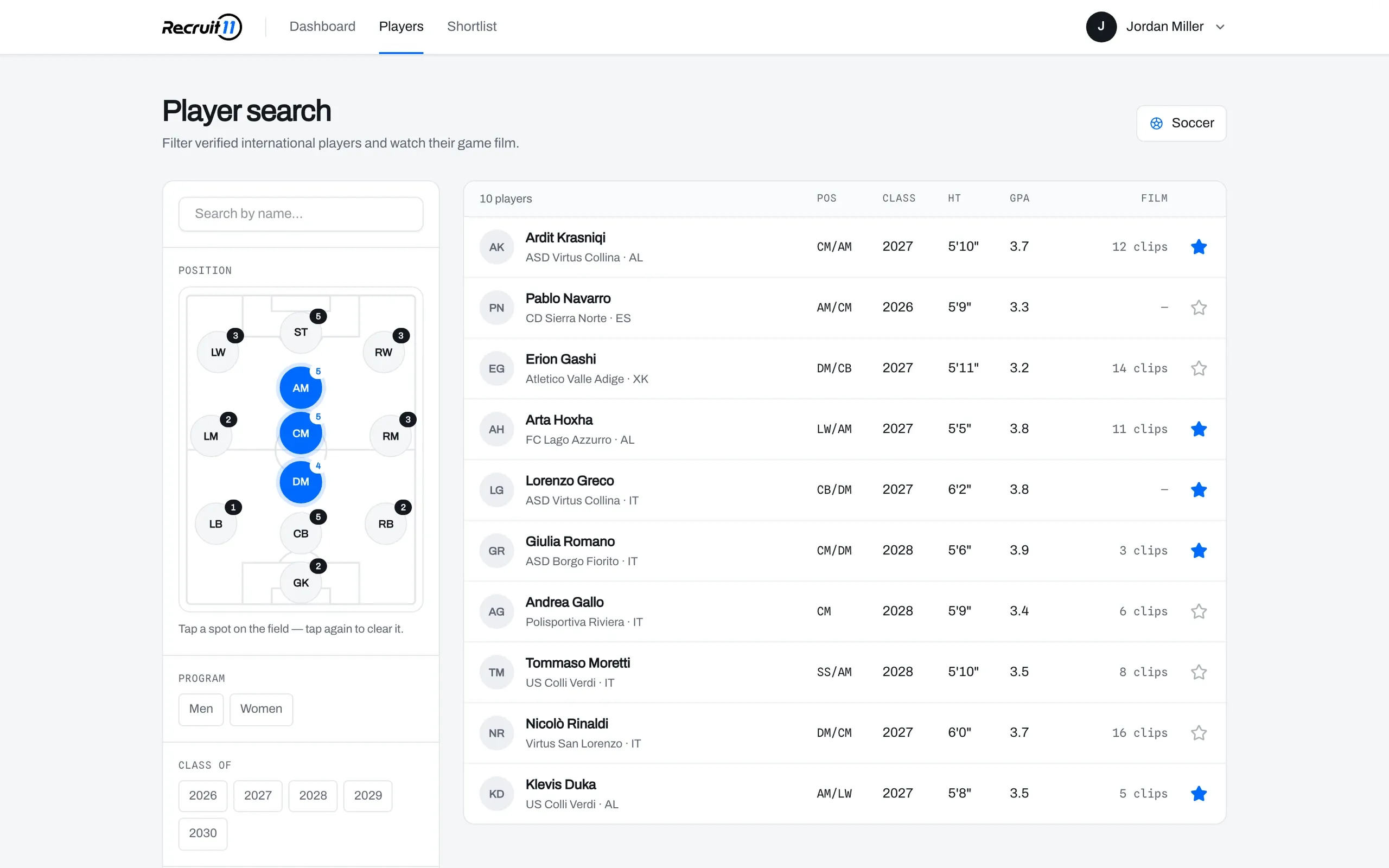
USA College Sport
Recruiting platform for European athletes aiming at US colleges
Read the case studyQuestions about custom CRM development
Why build a custom CRM instead of using HubSpot, Salesforce or Pipedrive?
Off-the-shelf CRMs work well when your process looks like theirs. When it doesn't, the team ends up back in Excel and the CRM stays half empty. A custom CRM has your statuses, your fields and your language, and nothing you don't use.
Can you import our existing Excel files and contacts?
Yes, importing the data you already have is part of the work. We map your columns to the new fields, flag duplicates, and we check the result together before the team switches over.
Will the CRM work on a phone?
Yes. We build every screen for phones as well as desktops. ALProperty agents use the CRM on their phones to filter listings by status and use the quick actions on each card.
Can different people see different things?
Yes. Roles and permissions are part of the design from the start. The ALProperty CRM has admin and agent roles with account approval, and the USA College Sport platform separates players, coaches and admins.
Who owns the code and the data?
By default the code lives in your own repository and the data in your own cloud account, such as Firebase or Postgres. If we stop working together, you keep everything and another developer can take over.